Category: SPECIAL NEEDS

  • TALKING TOUCH BUTTONS BATTERY OPERATED

    #1 USE
    My partner with late stage dementia continues many many times throughout the day to try and escape from his adult day care through the time delayed egress door.
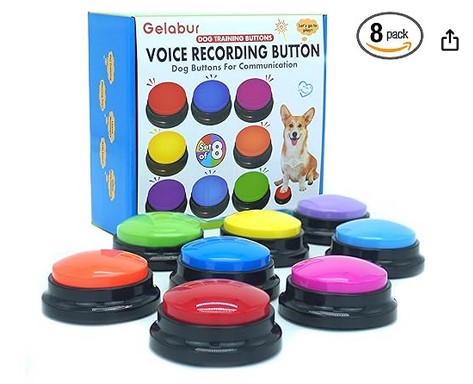
    I’m trying a new deterrent device. I have large touch buttons (battery operated) that you can record up to 30 seconds of your own voice.

    The staff presses the button either on the way to the door or as he has pressed on the door.
    My hope is the redirects him away from the door. i’ve also included a picture of me with the touch button.

    #2 USE
    A second use for this touch buttom maybe if you partner can no longer speaks but can stilll comprehend.

    Example:
    Label the button ‘WATER or DRINK’. record the message “I WOIULD LIKE SOMETHING TO DRINK”

    #3 USE
    Make it an activity for your partner with dementia. take 3 different colored touch buttons.
    Record a dog barking
    Record a cat meowing
    Record a bird chirping
    Have them guess which is which

    You can change the sounds to fit your needs.

    #4 USE
    Record “I LOVE YOU” or another special message and leave one around the house for your partner to hear your voice when you are away.

    These touch buttons are very inexpensive and come in a variety of colors which can work for many purposes. I ordered mine from amazon. Originally, these touch buttons where used to teach dogs to communicate.
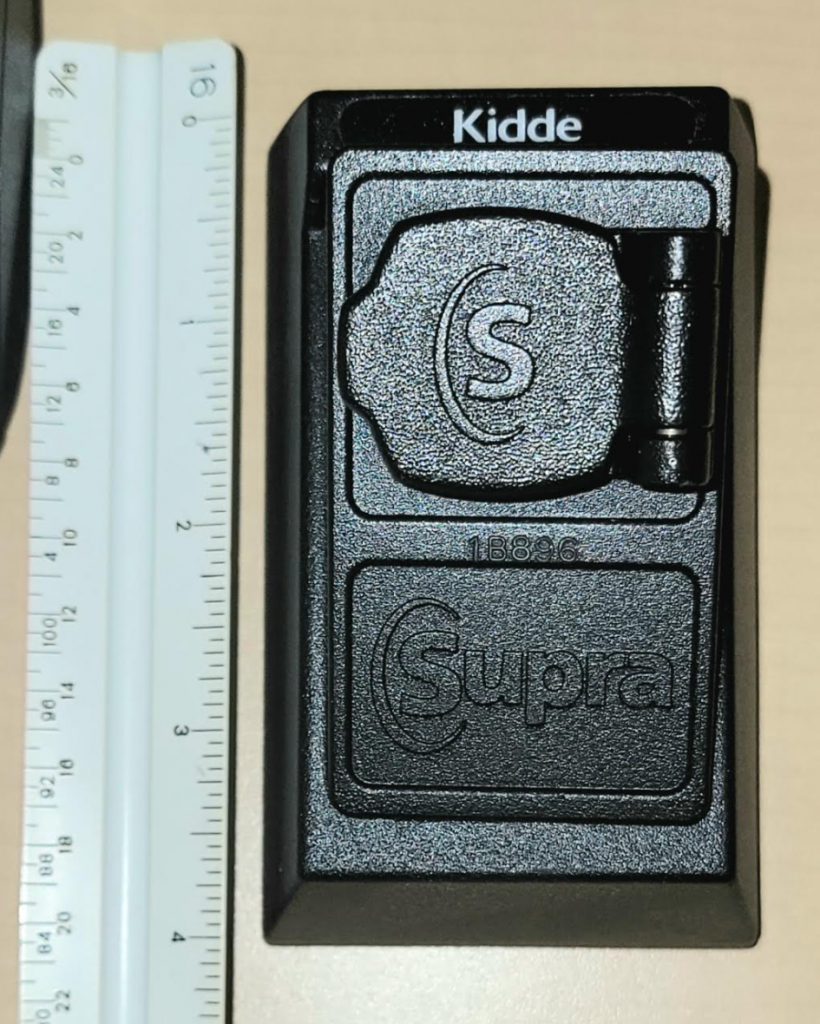
  • SURPRISE EMERGENCY RESIDENTIAL (HOUSE) KEY LOCK BOX PROGRAM

    OVERVIEW
    Surprise Fire-Medical Dept. offers a residential lock box program to our residents.
    The price of the the SFMD supplied lock box is currently $65 which allows only SFMD firefighters to access your home in an emergency.
    Installation is no longer provided by SFMD.

    You can also purchase your own lock box , but if you want to be register it with the SFMD program it must be a combination style lock box
    A combination style lock box allows not only SFMD to access your home, but allows other family/friends to access in an emergency
    Installation is no longer provided by SFMD.

    FOR MORE DETAILED INFORMATION ABOUT THE SURPRISE LOCK BOX PROGRAM:
    https://surpriseaz.gov/425/Lockbox-Program

    Please contact me if I can assist with you completing the program.

    CITY OF PEORIA LOCK BOX PROGRAM
    https://www.peoriaaz.gov/government/departments/fire-medical/community-outreach/lock-box-program

    CITY OF GLENDALE LOCK BOX PROGRAM
    https://www.glendaleaz.gov/Live/City-Services/Fire-Department/Community-Programs/Residential-Lockbox-Program

    CITY OF PHOENIX LOCK BOX PROGRAM
    https://www.phoenix.gov/administration/departments/fire/community-assistance-program/lockbox-program.html

  • REVISIT A HOME LANDLINE PHONE

    Recently, our cellular phone vendor’s network had a major backbone outage which lasted over a day. So, we could not call out or receive incoming calls from either of our 2 cell phones.

    Solution #1
    If we had a home landline phone ‘from a different cell phone vendor’ we would have been able to call out and receive calls on the other phone (landlines are now digital, no longer copper wires, so during a power outage your landline probably will not work unless you have them plugged into a battery backup unit.)

    Solution #2
    You may be able to use your computer (via the Internet) to call out, if you have a voice plan from a 3rd party vendor.

    Solution #3
    Use a different cell phone vendor for each cell phone. Although most of the time, especially with smaller cell vendors, they may share another vendor’s backbone network, which wouldn’t help during a power outage.

  • UBER & LYFT SIMPLIFIED SENIOR APP

    Both Uber and Lyft have a simplified Senior App for booking rides that I would suspect may help people with special needs as well. Available for Android, APPLE/MAC, Windows PCs.

    UBER.COM SENIOR APP:
    iOS (APPLE/MAC)
    ANDROID
    WEB DESKTOP PC/MAC

    LYFT.COM SENIOR APP:
    iOS (APPLE/MAC)
    ANDROID
    NO WEB DESKTOP PC/MAC

  • SELF CLOSING DOOR ADD-ON HARDWARE

    I had to install self closing hardware on our primary bedroom door. You might think, did they really need to do that? In our case yes, we have pets and there are no rugs in our house except for 1 rug in the bathroom sink area of the primary bedroom. Most of the time my partner does not close the door (started about 6 months ago), So, one or more of our pets will go in there and do their business.


    – – – HERES WHAT I DID – – –

    STANDARD HARDWARE CLOSER
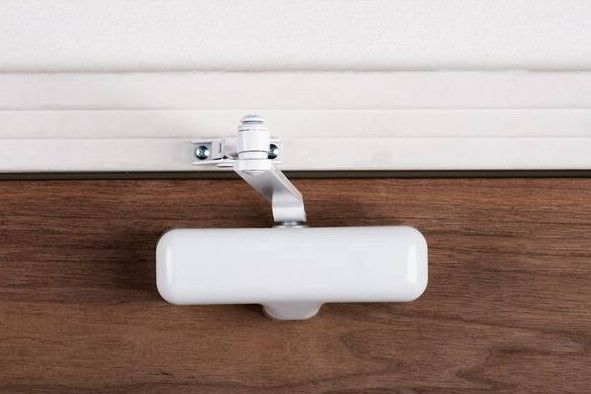
    More expensive (approx $40), heavy duty, a little harder to install, purchased at Home Depot


    WIRE CLOSER
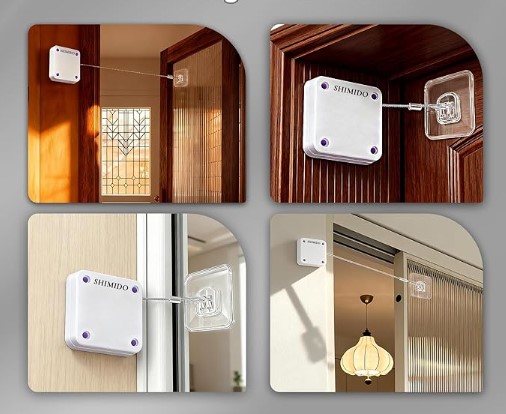
    Very inexpensive (under $10), light duty, install would have been easy except our door frames where not wide like the picture below, ordered from amazon.


    SELF CLOSING HINGES
    Less expensive (approx $16), medium duty, easy and only few minutes to install (replace 1 hinge), purchased at Home Depot.
    We have 8 foot doors in our house and it only required 1 self closing hinge. Be sure and measure the height of your door hinge.


    In the end, after trying the first two, I wound up using the hinge.

  • COMPUTER TIPS-USER ACCOUNT TYPES & PARENTAL/DEMENTIA CONTROLS

    This is a basic computer tips document and is not meant to walk you through each procedure.

    COMPUTER TIPS:

    #1 Scammers/Hackers:

    If your partner has dementia and still uses a computer, check to see if their computer user account has been setup as a ‘STANDARD’ type user account and not an ‘ADMIN’ user account.
    This will limit some functions, but adds additional protection against many types of hacker/scammer attacks. This is true for both Microsoft Windows and Apple MAC computers.

    Find a family member or friend who has a some tech knowledge to check the type of user account for you. Or if you know me, contact me, and I can assist you. Your 3rd option is to hire someone. Generally, checking the computer user account type takes just a few minutes.

    #2 Turn Off WiFi:

    If your partner is only interested in playing games, you can turn off WiFi or turn on Airplane Mode, thus there is no Internet access.

    #3 Microsoft Family Accounts:

    (A much more complicated setup proceed)
    Some Examples:
    You can limit the time they can use the computer
    You can receive a weekly activity report of your partner’s computer activates for the week.
    Turn web and search filters on to filter out sites and search results that are too mature/dangerous.
    You can add or block websites manually

    NOTE:
    Be sure and have at least 1 ‘ADMIN’ account on your computer.

  • ADA 2 LEGAL QUESTIONS -SEVICE ANIMALS

    Under the Americans with Disabilities Act (ADA), the two questions that staff at public accommodations or employers (in specific circumstances) can legally ask about a person’s service animal are: 

    1. “Is this animal required because of a disability?”
    2. “What work or task has this animal been trained to perform?” 

    Does not apply to emotional support (ESA) or comfort dogs, because providing emotional support or comfort is not a task related to a person’s disability

    https://www.ada.gov

  • HIDDEN DISABILITIES SUNFLOWER

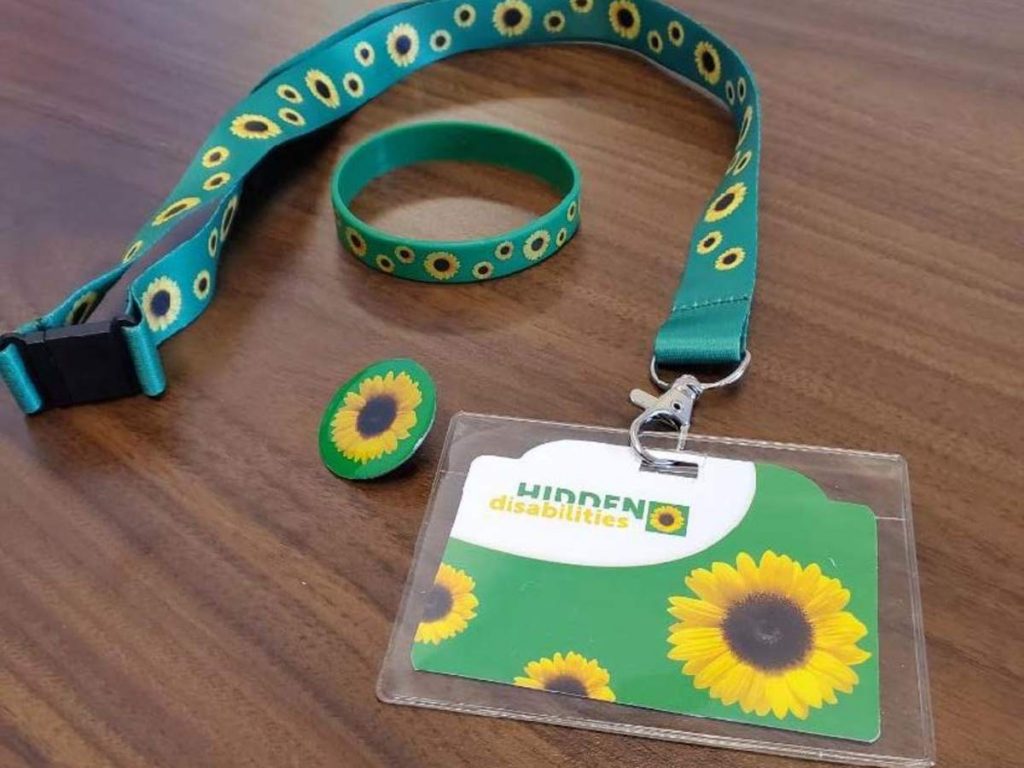
    The Hidden Disabilities Sunflower is a simple tool for you to voluntarily share that you have a disability or condition that may not be immediately apparent – and that you may need a helping hand, understanding, or more time in shops, at work, on transport, or in public spaces.

    https://hdsunflower.com/us

  • AIRPORT/AIRLINE TRAVEL INFO FOR SENIORS, DEMENTIA, & SPECIAL NEEDS-AZ

    This is Airport/Airline basic assisted special needs support information when traveling. I hope to update this post when I do some additional research.

    ARIZONA – Phoenix Sky Harbor Airport – PHX:
    https://www.skyharbor.com/at-the-airport/amenities/special-needs/

    CALIFORNIA – Los Angeles International Airport – LAX
    https://www.flylax.com/lax-americans-with-disability-act

    NEW YORK – John F. Kennedy International Airport – JFK
    https://www.jfkairport.com/at-airport/accessibility-services

    WASHINGTON – Seattle-Tacoma International Airport – SEA
    https://www.portseattle.org/blog/supporting-travelers-alzheimers-sea-airport


    YOUTUBE:
    Flying After 60: 10 Federally Protected Rights


    HIDDEN DISABILITIES SUNFLOWER

    The Hidden Disabilities Sunflower is a simple tool for you to voluntarily share that you have a disability or condition that may not be immediately apparent – and that you may need a helping hand, understanding, or more time in shops, at work, on transport, or in public spaces.

    https://hdsunflower.com/us

  • READING & ‘ANOTHER USE’ FOR THE AMAZON KINDLE

    Of course when we were younger we started at the library reading normal sized print paper books. As my partner got older and his vision decreased, we switched to large print books. Now as his vision has continued to decrease we switched to an amazon kindle where we could increase the font size even larger as well as the contrast. he is almost completely blind in his right eye.

    Another Kindle Purpose:
    At this point, with his advanced dementia, he longer understands the book content and is starting to have problems speaking. So, what I have him do, is verbally read the large font text on the kindle in hopes that this may prolong him speaking correctly. I don’t have any research to back up this idea, but also, this is another activity for him that he actually doesn’t mind.